
How it works
From "we need a new site" to live, without the busywork.
Four steps, one place. Here's how a site goes from an old WordPress install, a design file or a blank page to a fast, secure site your client can look after.
Step 1
Start from what you already have
Pick a way in, and PixelerStudio does the heavy lifting while you get on with something else.
- A WordPress site. Our free plugin exports everything: pages with their Divi, Elementor, WPBakery, Beaver Builder or block-editor layouts, posts, projects, events, menus and mega menus, media, SEO settings and redirects. Spam links from a hacked site are cleaned out on the way.
- Any other site. Type its address, or read it with our Chrome extension (good for sites behind a login).
- A design. Upload a Figma, InDesign or XD layout as a PDF, one page per page. It's rebuilt section by section, with real text, and each font swapped for its closest web font.
- A blank page. Answer a few questions about the business, its voice and its colors, and get a first draft of every page.
Match mode then compares the new site with the old one, screen by screen at desktop, tablet and phone sizes, and keeps adjusting until they line up.
Step 2
Build and design, visually
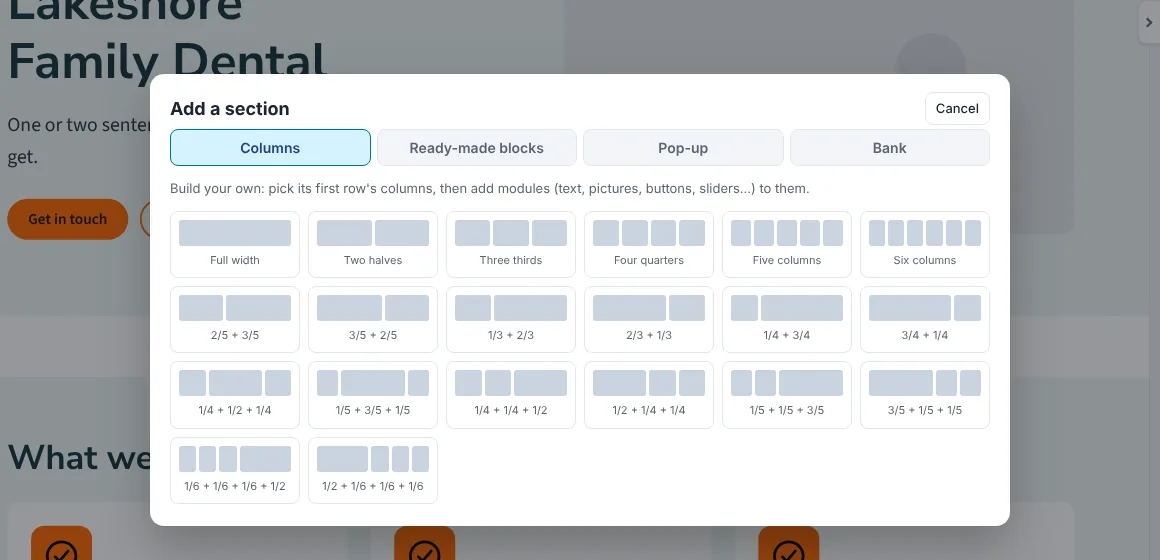
Pages are sections, rows, columns and modules. Click anything on the page to change it, and see it exactly as it will publish.
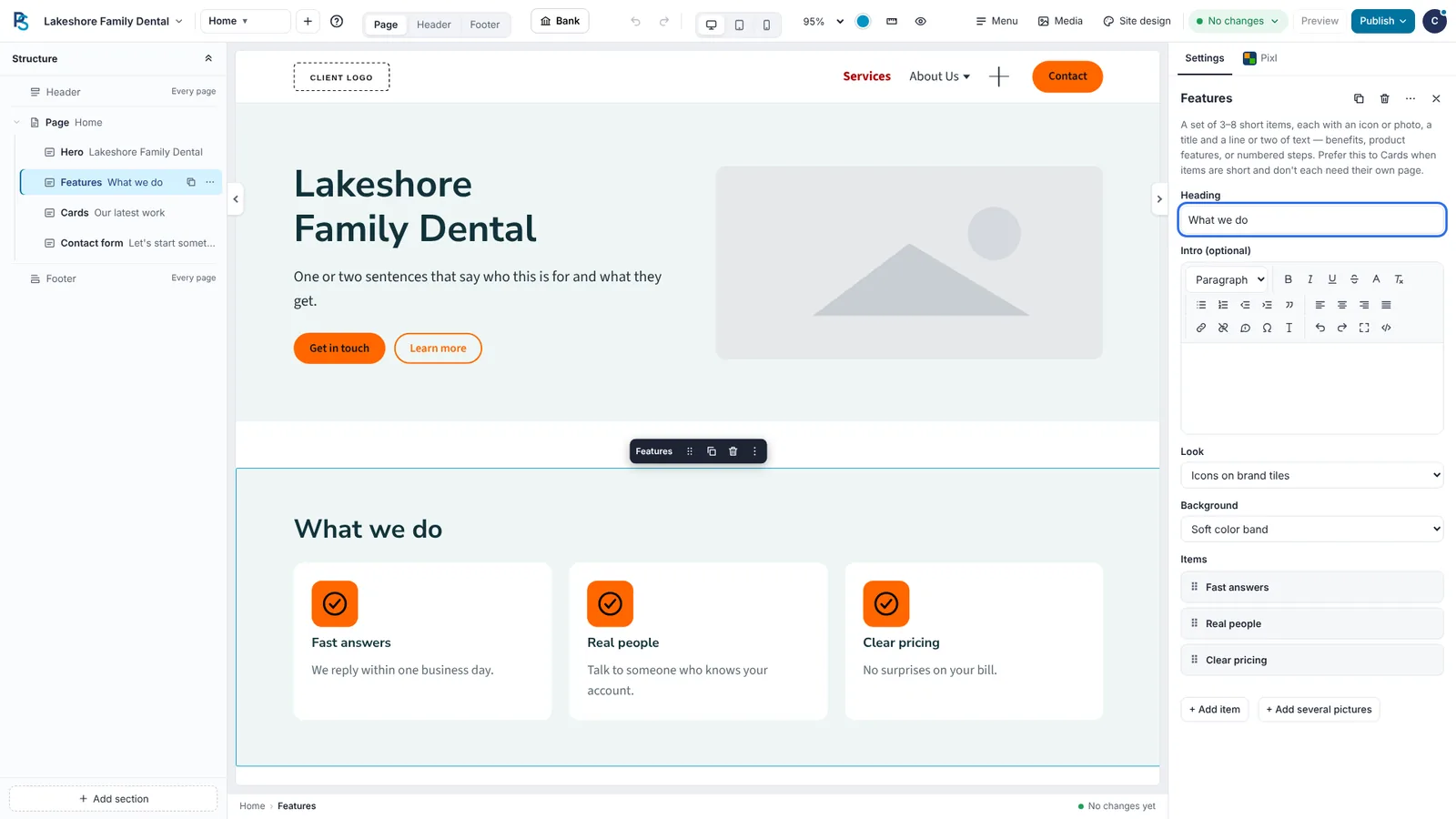
Content, Design, More
Every part has the same three tabs: what it says, how it looks (fonts, colors, spacing, borders, shadows, backgrounds), and extras like links, animation, scroll effects and visibility.
Every screen size
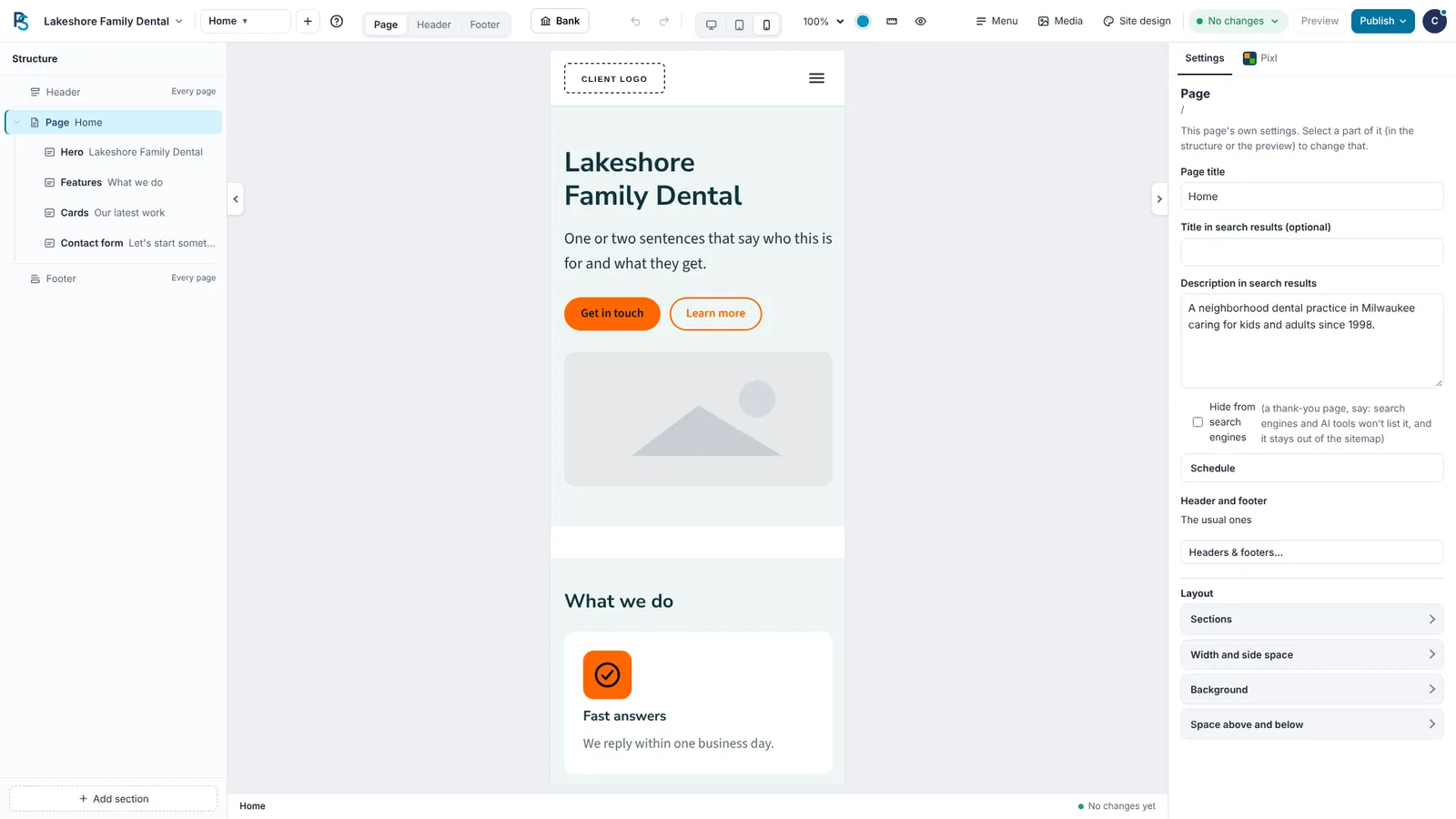
Desktop, tablet and phone, each with its own sizes, spacing and layout. Tablet settings carry down to phones unless you change them.
Sitewide in one place
Site design sets headings, text, buttons and animation for every page. Header and footer modes, global sections, text styles and a color library keep it all consistent.
The modules
Everything you need to build a client site, without hunting for add-on packs.
Text and buttons
- Text box, with columns that balance themselves
- Button
- Blurb
- Icon list
- Number counter
- Countdown timer
- Table
- Table of contents
Pictures and video
- Image, with captions
- Gallery
- Image slider
- Slideshow (Ken Burns)
- Photo collage
- Before and after
- Carousel
- Video
- Animated graphic (SVG and Lottie)
- Icon, from four icon sets
Layout and interaction
- Box, for modules side by side
- Tabs, with modules inside
- Toggle
- Stacked cards
- Divider
- Pop-ups
- Code, for anything custom
People and trust
- Person
- Testimonial
- Social media follow
- Form, with conditional fields and Google Sheets
Navigation
- Menu, with mega menus
- Logo
- Links
- Breadcrumbs
- Search
- Page title
- Next and previous
Collections and events
- Collection items (posts, projects, products)
- Item field
- Events: list, grid, month calendar, slider and countdown
29 ready-made blocks
Hero · Features · Cards · Image and text · Call to action · Testimonials · Team · Numbers · Timeline · Comparison table · FAQ · Tabs · Logo strip · Gallery · Video · Contact form · Announcement bar · Pop-up announcement · Highlight box · Animated overlay slider · and more. Drop one in, then restyle every part of it.
Templates for collections
Lay out every project, post or product page once in Template mode. Mark the parts each one customizes, and the rest stays in step across all of them.
The Bank
Save a section, row or module once, and place it on any site in your account, pictures and all.
Pixl, built in
Ask Pixl for a change in plain words, or hand it screenshots of an old page and an approved example, and it builds the new page to match.
Step 3
Review it properly
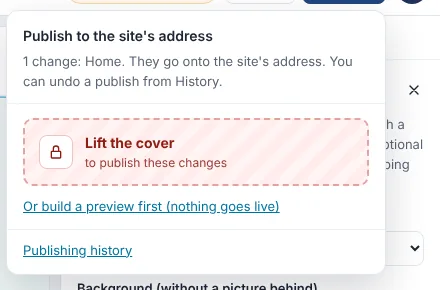
Nothing reaches the live site by accident. Every change is a draft until someone with the right role publishes it.
- Drafts save themselves, and a dot marks every page with unpublished changes.
- Preview builds the whole site at a private address, to check on a real phone.
- Staging is where the client reviews. Lock it to named people if it should stay private.
- Contributors mark pages ready for review. You look them over, then publish or send them back with a note.
- Pre-launch check looks over every page for broken links, leftover sample text, missing descriptions, headings and oversized pictures.
Step 4
Go live, and stay calm
Connect the domain in a few clicks (its email records are copied first), lift the cover, and the site is live on Cloudflare's global network.
- Roll back to any published version from the last 90 days, or undo a single publish.
- Update blocks brings new modules and fixes to one site, or every site at once, without touching its content.
- Forms send to email and Google Sheets, and every entry is kept.
- SEO and AI search: structured data, sitemaps, redirects, a Pixl SEO sweep, and files that tell AI tools what the site is about.
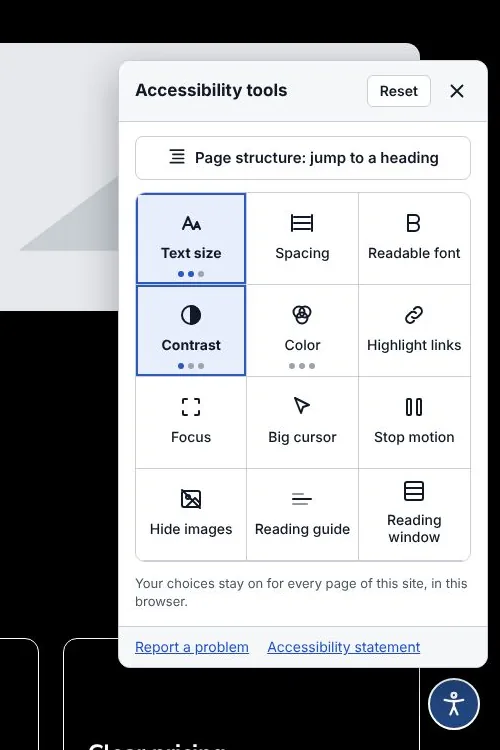
- Accessibility helper: one switch gives visitors bigger text, spacing, contrast, a readable font, stop motion and a reading guide.
- Download a complete copy of any site at any time, ready for any host.
Your team and your clients
Everyone gets exactly the access they need
Administrator
Your studio. Everything: new sites, setup, domains, going live, people.
Site Manager
A client's lead. Pages, the sitewide design, pushing live, reviewing, and adding their own Editors and Contributors.
Editor
Their staff. Pages, pictures and the menu, pushed to staging for review.
Contributor
Juniors and interns. Drafts only, marked ready for someone to review and publish.
Add anyone to your whole account, or to just one site.
See it on your own sites
Register for the private beta, and we'll set up your account. Bring one of your WordPress sites over and watch it come across.